
Finding Cuyahoga Residents
Cuyahoga County has no single roll of everyone who lives here. Start with the record that fits the question. MyPlace is useful when an address, parcel, or owner name is known. The Official Records Search follows a recorded party or property through deeds and related instruments. Ohio voter information confirms registration and election geography for an identified person. Court, probate, vital, archive, and library sources answer different questions again. The useful result is a dated record trail, not an assumption about every person at an address.
Begin with the municipality named by the address. Cleveland is the county seat, but Cuyahoga includes many cities, villages, and townships with their own permit, court, or clerk channels. Match the office to the record type before requesting a copy. A parcel owner, tax mailing contact, court party, and historical directory listing are distinct roles. That separation prevents a routine Cuyahoga search from overstating what a source proves.
- Use MyPlace to search an owner, parcel, or address and retain the parcel number, situs label, and mailing label.
- Open the parcel transfer or legal-recording lead, then use the Official Records Search for the recorded document image and legal description.
- For an identified person, use Ohio My Voter Information with first name, last name, and Cuyahoga County.
- Check the appropriate court or Probate Court index only when a case, estate, marriage, or guardianship question supports that next step.
- Move a historic or missing trail to the County Archives or library collection with the name, date, address, parcel, or case number already recorded.
Note: A well-labelled trail is more useful than a quick match because Cuyahoga records often separate property, civic, court, and historical evidence.
Cuyahoga Records Offices
Four county desks do much of the work behind a Cuyahoga residents directory. The Fiscal Office connects parcels and recorded instruments. The Clerk handles Common Pleas and Eighth District court files. Probate maintains estate, guardianship, marriage, and adoption case channels. County Archives provides the older tax, map, directory, vital, election, and court layers that do not fit a current web search. The office of origin remains the source for an official record.
Fiscal Office Recorded Documents
2079 East Ninth Street, fourth floor
Cleveland, OH 44115
216-443-7420
Cuyahoga Fiscal Office
County parcel and tax information
Cuyahoga County, Ohio
216-443-7300
Cuyahoga County Archives
3951 Perkins Avenue
Cleveland, OH 44114
216-443-7250
Property research at the Archives requires an appointment. Its reading room, self-service microfilm, and detailed mail or email request route are the proper fallback when an online search ends before the record era does.
Cuyahoga Parcel Search
MyPlace starts with a City selector and Owner, Parcel, and Address modes. A selected property can lead to General Information, Transfers, Values, land and building details, permits, Tax by Year, Legal Recordings, informal reviews, and Board of Revisions cases. Record the permanent parcel number before comparing other results. It is the durable link between the address, map, tax record, and recorded instrument.
| MyPlace control | Use in a Cuyahoga search |
|---|---|
| City | Select the municipality or Entire County before searching a recurring street name. |
| Owner, Parcel, Address | Choose the starting key, then use the other modes to cross-check it. |
| View Map | Move from the selected property to parcel geography and adjoining parcels. |
| Transfers and Legal Recordings | Follow the portal lead to the Recorder index and controlling document. |
See the county MyPlace search before opening a property trail.
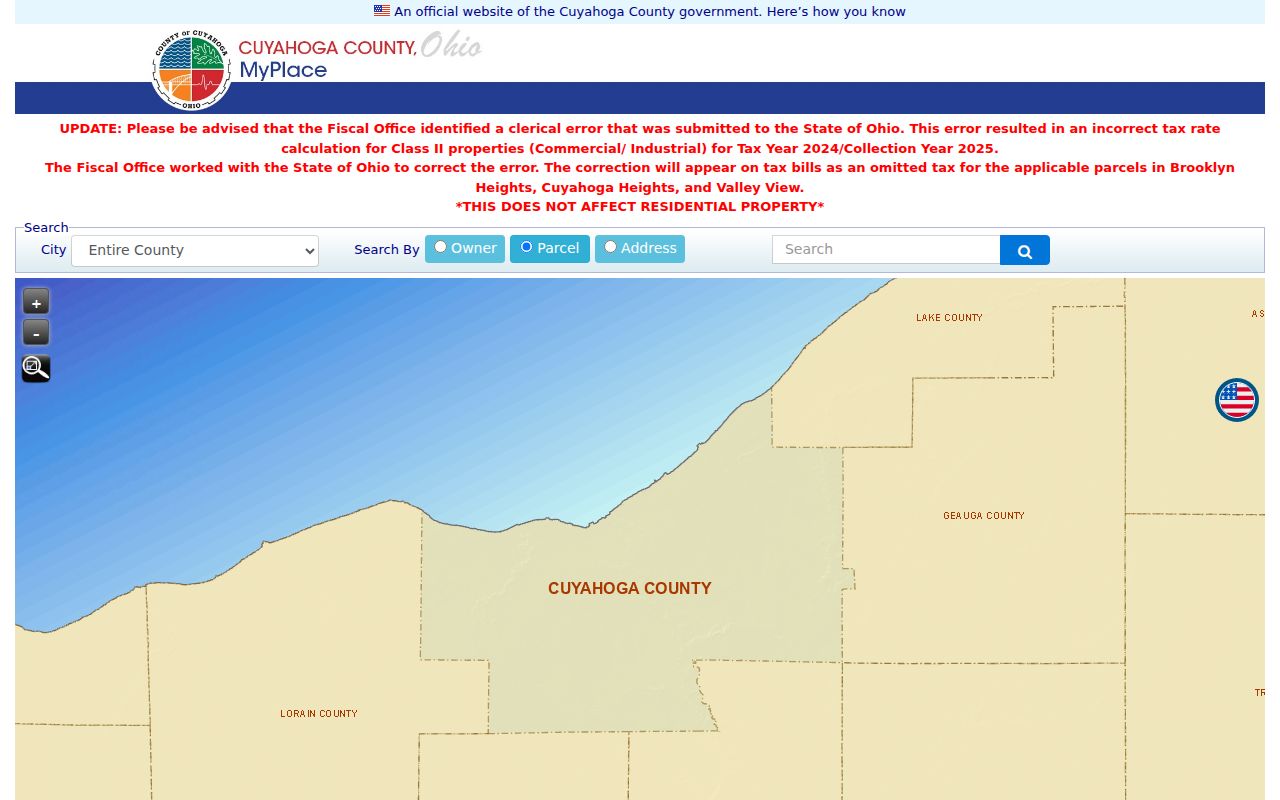
The screen shows why city selection and the search mode should be noted with every Cuyahoga parcel result.
Cuyahoga Deed Index
The Fiscal Office says recorded documents reach from 1810 to the present. Quick Search accepts a grantor, grantee, subdivision, document type, or document number, with recorded-date presets and a parcel-ID format that uses dashes. Advanced Search adds separate grantor and grantee entries in LASTNAME FIRSTNAME form, recorded and instrument dates, document type, parcel, volume, page, property address, and document-image control.
Use the parcel card as a lead rather than a final certification. Open the current acquisition document, keep the seller, buyer, recording date, instrument date, document number, legal description, and parcel number, then search the earlier owner as grantee. The legal description keeps the title trail anchored when a street name, number, or parcel shape has changed. Index Only treats multiword terms separately, while the full-text OCR option treats a multiword query as a phrase.
Open the Official Records Search to inspect its current certification date and document controls.
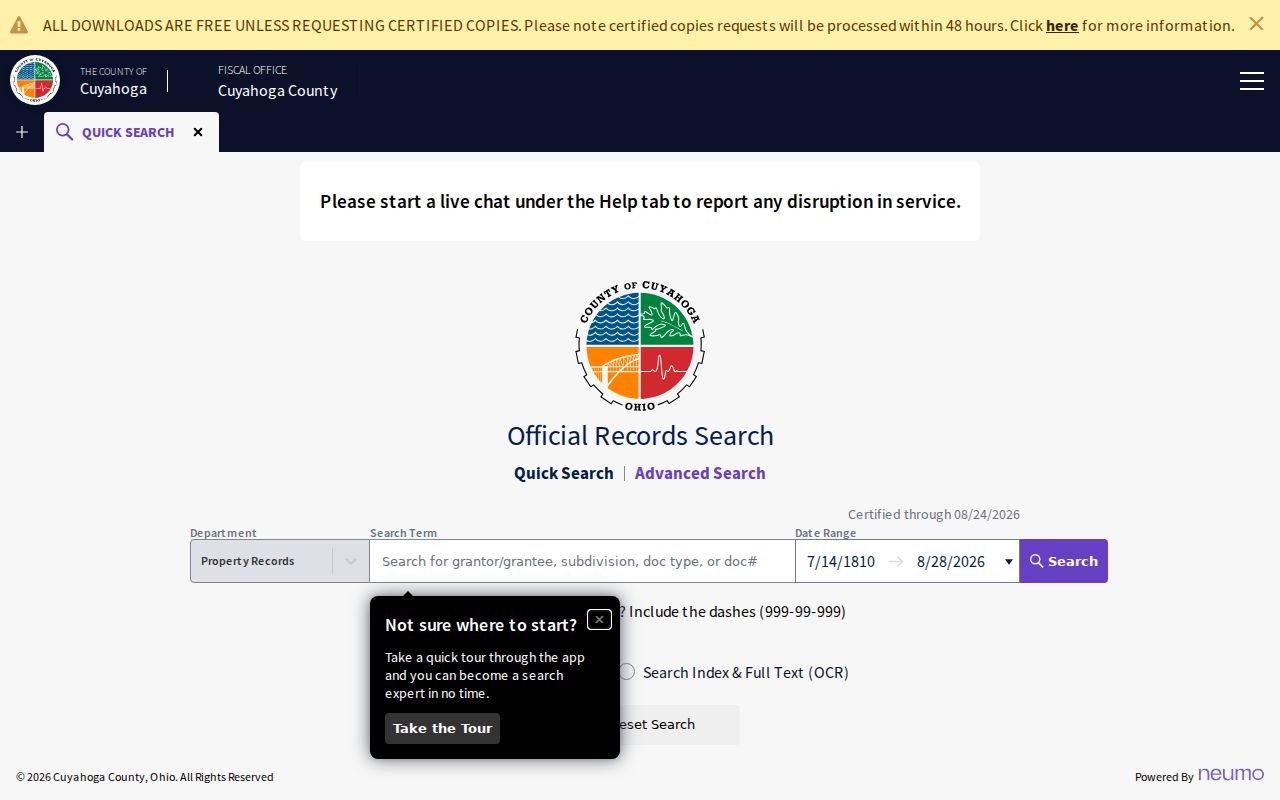
The recorder image helps distinguish a name index from the document image and legal description that support the recorded trail.
Current Cuyahoga Resident Sources
The following sources are current Cuyahoga directory leads, but none is an all-resident list. Treat every output by its own purpose. A property card identifies an ownership and tax relationship. The voter service confirms registration information for a named person. A recorder result identifies document parties. Court indexes locate case material. The difference is essential when two people share a name or when a property has a nonlocal mailing address.
| Record source | What it can establish | Custodian | Access channel |
|---|---|---|---|
| MyPlace property roll | Parcel-linked owner lead, situs and mailing labels, transfers | Cuyahoga Fiscal Office | Free web search; origin office controls the official record |
| Ohio voter information | Registration, precinct, and polling-place information | Secretary of State and Board of Elections | Required name and county search |
| Official Records Search | Recorded party, deed, lien, or plat history | Fiscal Office Recorded Documents | Free index and document-image interface |
| Common Pleas docket | Party and case path | Clerk of Courts | Web convenience search, then official counter record |
| Public role and credential indexes | Official business or credential affiliation | State custodians | Role-specific state search |
A commercial people-finding category may combine records from many dates and can join the wrong people with a common name. It is not a substitute for the Cuyahoga custodian’s dated record.
Cuyahoga Voter Confirmation
Ohio My Voter Information asks for first name, last name, and county, then reports registration, precinct, and polling-place information for a matching voter. The service may ask for a street name to narrow a result. Retry a documented nickname, derivative first name, former surname, or prior county when the official notice suggests that a match may be filed differently.
The Secretary of State’s DATA Act voter portal is a separate channel. It provides dated county registration snapshots with election, start date, end date, and county controls. A single date and county can yield one file; custom requests have queue, delivery, and expiry limits. That process is not a public browser tool for a block-by-block roster. Historical voter questions instead belong with the Archives’ Board of Elections Abstract of Votes, List of Electors, and Index to Naturalized Voters collections.
Note: A nonmatch can reflect a name variation, a different county, an unavailable record, or an address protected through Ohio Safe at Home.
Cuyahoga Court Name Search
The Clerk Case Records Search separates Civil by Case, Civil by Name, Foreclosure, Criminal by Case, Criminal by Name, and Court of Appeals paths. Case number, division, party role, category, and year filters serve different questions. Supply as much identifying information as the selected search permits, then open the case or party result and use its docket path. The Clerk says the official in-person record is the current and accurate source.
Domestic-violence and civil-stalking-protection-order case information is excluded from the internet search. Sealed, expunged, juvenile, adoption, and protected identifiers can have their own limits. An online absence never proves that a person has no court history. For the official counter route, use the Clerk docket information line at 216-443-7974. Probate Court is separate for estate, guardianship, marriage, and adoption matters.
Review the Common Pleas search choices before choosing a Cuyahoga name-search mode.
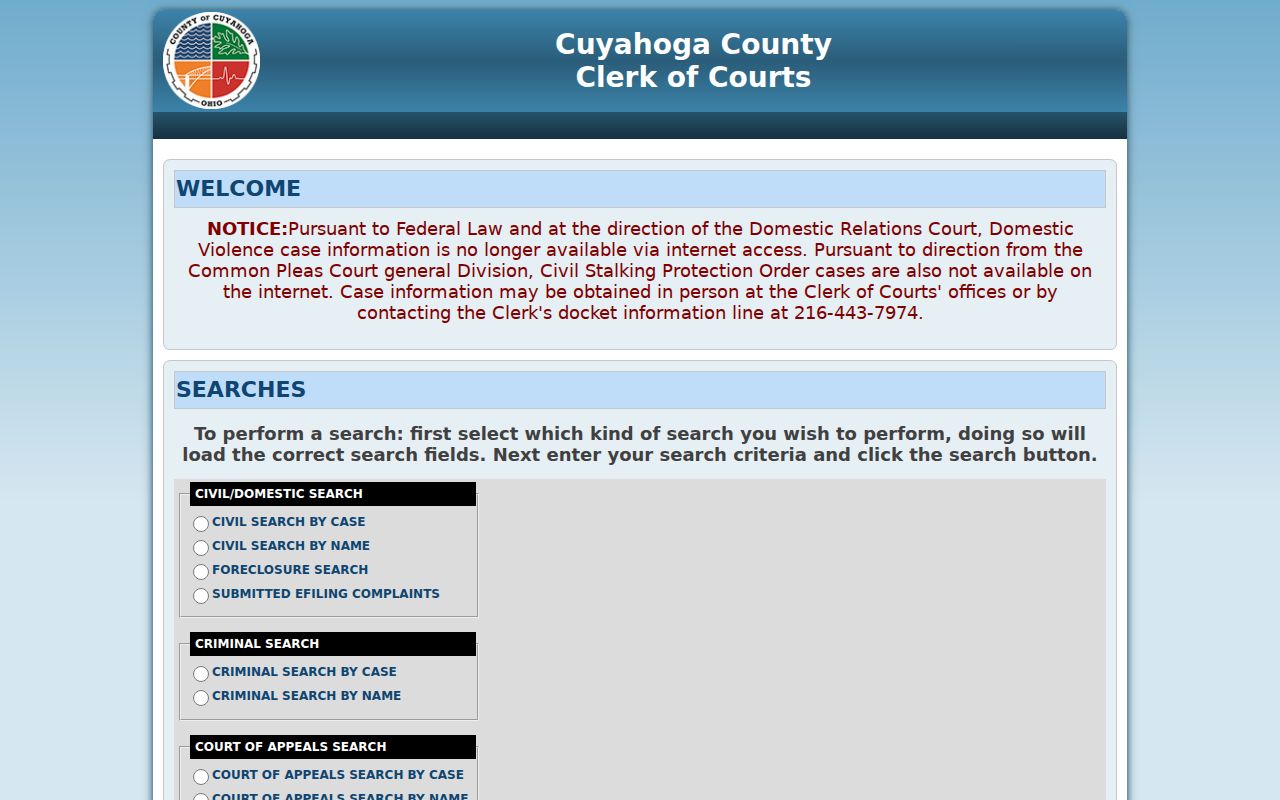
The separate civil, criminal, foreclosure, and appeal options show why a name hit needs division and case-level verification.
Cuyahoga Archives Fallback
County Archives at 3951 Perkins Avenue preserves the offline part of the Cuyahoga record story. It has tax records from 1819 through 1986, original map volumes from 1860 through 1945, historic city directories, vital material, court material, naturalization files, and election collections. Property research requires an appointment. Self-service microfilm is available, while staff retrieves non-film material. A detailed mail or email request identifies the record type, surname, dates, and any page, volume, petition, parcel, or case number.
The first 40 photocopies are free and later copies cost three cents. The Archives says a properly detailed remote request receives a response within three weeks. Those limits make it smarter to bring a MyPlace parcel number, legal description, old directory year, or recorder document number to the Archives rather than submitting an open-ended request.
Cuyahoga deeds begin about 1810, but the supporting tax, map, directory, and probate layers begin in different eras. Change source with the period instead of expecting one current portal to replace the historical shelf.
Cuyahoga Vital Paths
Cleveland Vital Records issues Ohio birth certificates and deaths for nearly all of Cuyahoga County, except Lakewood and Parma for death issuance. Ohio treats ordinary birth and death certificates as open public records, while adoption files and some identifiers remain restricted. Cleveland lists online and telephone requests through VitalChek, mail requests, and counter service at 601 Lakeside Avenue, Room 122. The local price is $25 per certificate. The County Archives and Ohio History Connection serve older, date-specific death and vital routes.
For marriages, use Cuyahoga Probate Court. A certified-copy request needs both names, including maiden or prior name, plus the marriage date or approximate year. Mail requests use the Court form, a self-addressed stamped envelope, and an approved payment method. Probate copies have a distinct cost schedule and handling path, so a marriage request should not be sent to the Recorder or the Clerk’s general docket desk.
Use Cleveland’s Vital Records instructions for a current certificate channel.
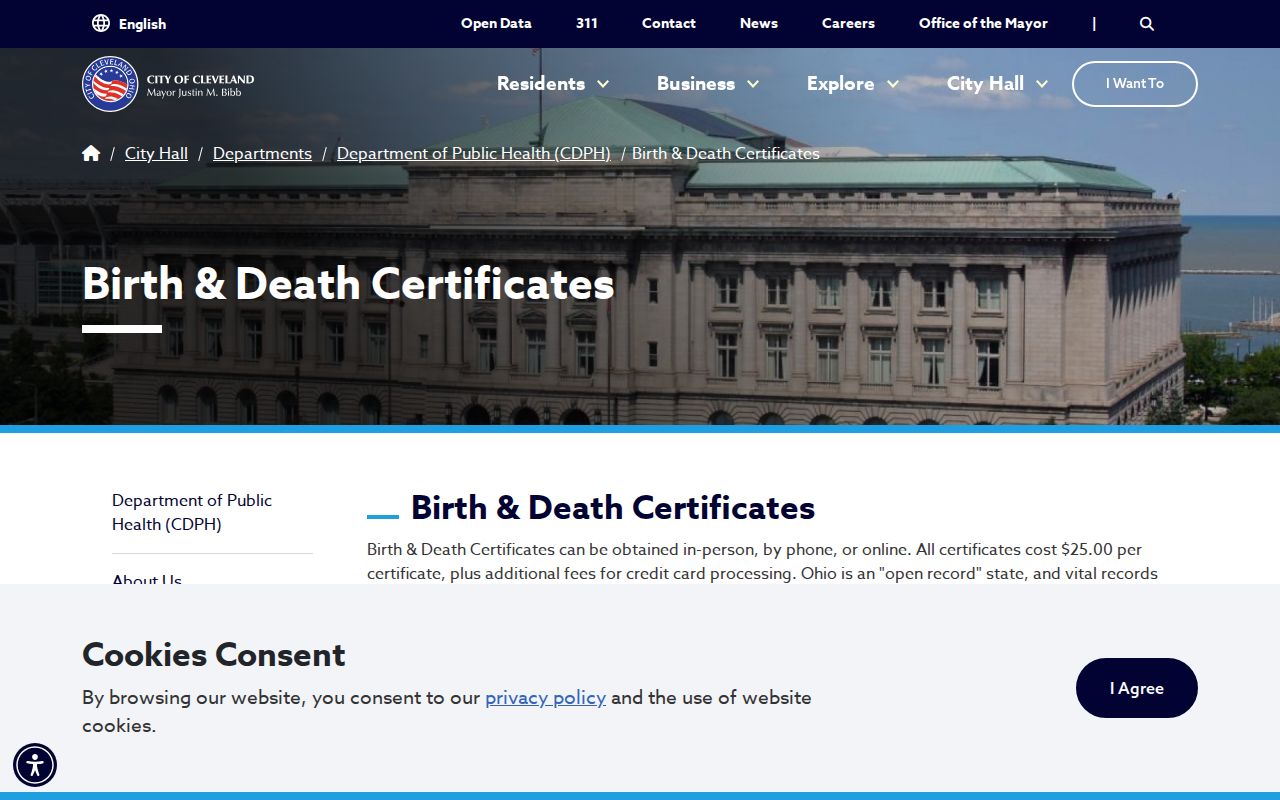
The official vital-record view separates certificate fields and request methods from the broader historical research trail.
Cuyahoga Historical Directories
Cleveland Public Library’s Center for Local and Global History holds a complete microfilm set of Cleveland City Directories and an extensive, incomplete paper facsimile set. The County Archives reports its own Cleveland directory shelf as 1837 to 1972, not inclusive. From 1929, the back of each Cleveland volume lists properties by address, making it possible to locate an old street number and then compare the alphabetical entry’s name and occupation. Wives’ names also begin appearing in 1929.
Directory coverage changes by year. Cleveland proper did not publish directories in a documented list of years, and suburbs moved in or out of the title’s coverage. A missing household may signal a nonpublication year or a separate suburb title, not a move. The Cuyahoga city directory collection page explains the microfilm, digitized selection, maps, and title-page checks in more detail.
- Parcel
- A numbered land unit that links Cuyahoga property, map, tax, and recording records.
- Index
- A finding tool that points to a record or image; it is not always the controlling document.
- Criss-cross directory
- An address-oriented directory section used to move from a street number to a listed entry.
- Roll
- A source organized for one institutional purpose, such as a voter or tax record, rather than a universal resident list.
Cuyahoga Protected Records
Ohio Revised Code §149.43, the Ohio Public Records Act, requires public offices to make responsive public records available promptly during regular business hours and provide copies at cost within a reasonable period. Exempt information must be redacted, and a written denial can require a legal explanation. A useful request identifies the record series, date range, address, parcel, case number, or preferred format rather than asking an unrelated office to search every database.
Ohio Safe at Home is a key exception. Eligible participants can use a substitute address and can file a real-property confidentiality notice. Adoption files, protected court matters, and other confidential categories have separate rules. Respect those boundaries. Do not use records to stalk, harass, or harm anyone, and do not try to infer a protected address from gaps or related records.
Read the Ohio Public Records Act before submitting a Cuyahoga request.
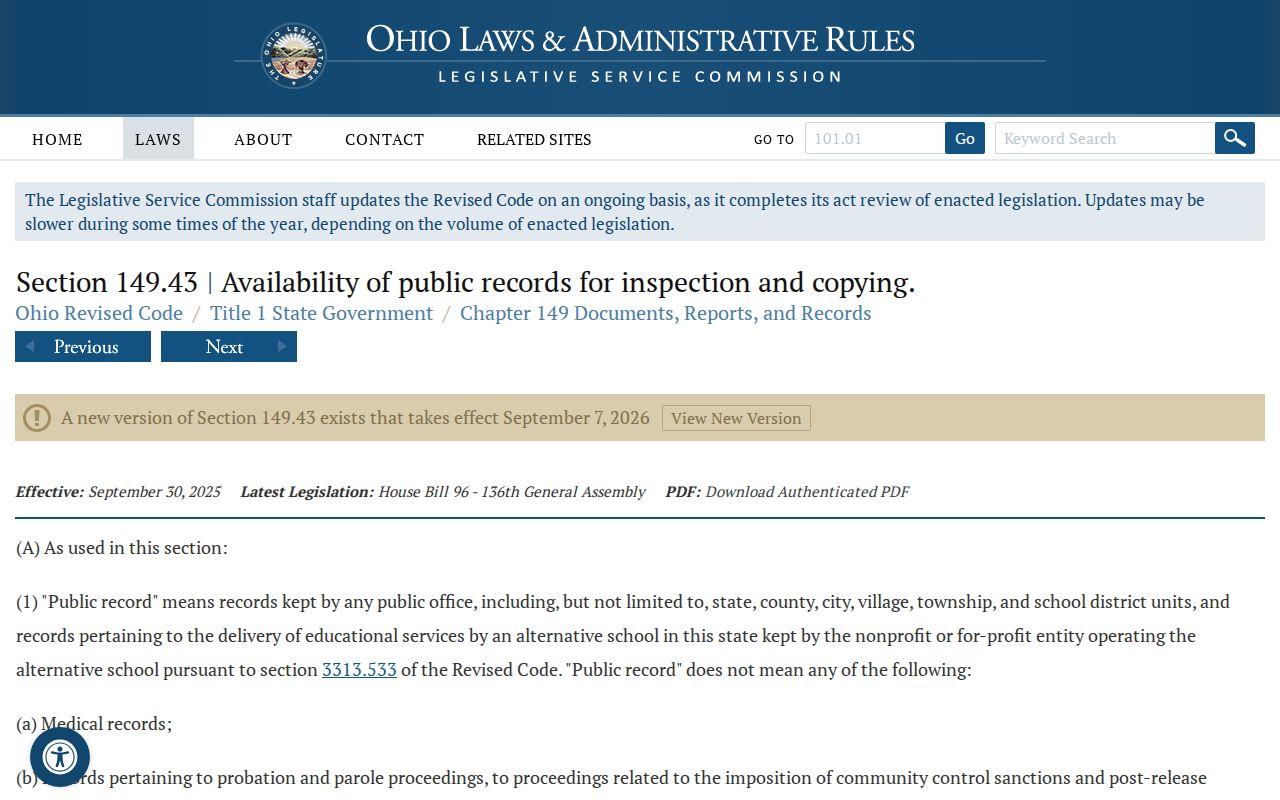
The statute is a request-and-access framework, not a promise that every personal identifier or protected record is public online.
Cuyahoga Role-Check Tools
Some state searches are useful only for their stated role. eLicense Ohio verifies public credentials across 24 boards and updates its data daily. Ohio Supreme Court attorney search allows registration number, name, city, state, county, ZIP, and language fields, while cautioning that inclusion alone does not establish good standing. Secretary of State business and UCC records identify filing roles or filing addresses, which are not residence assertions.
Custody and correction searches are equally narrow. The County Corrections Center directs daily roster information through the Sheriff app. Ohio DRC searches people in prison, under Department supervision, judicially released, or listed as violators at large. Its residential address can be a delayed last recorded address, not a current location. Use each state tool for the specific public role it documents, never as a general Cuyahoga residents directory.
Start with eLicense Ohio when the question is an official credential.
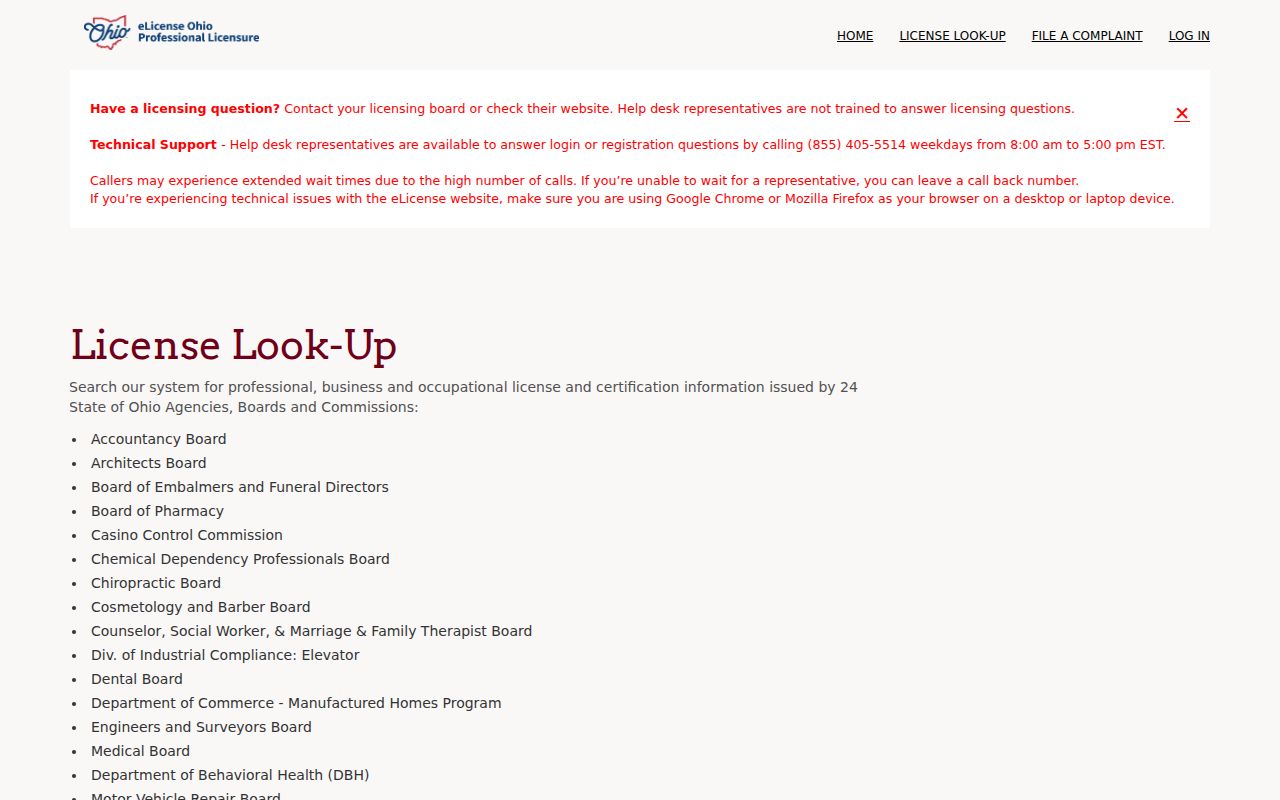
The state license image reinforces that an official credential record should be read for credential status, not private residence.
For the custody-status search route, consult the Ohio DRC Offender Search.
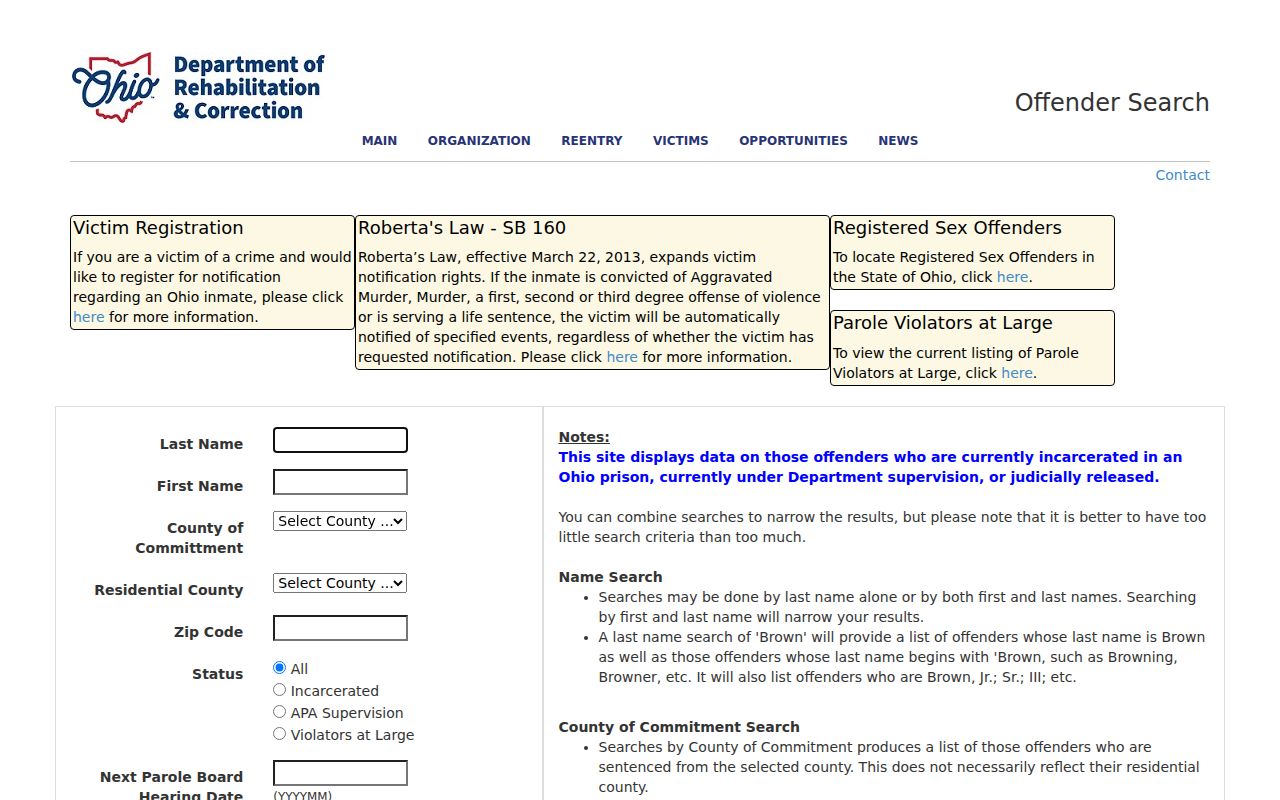
The DRC controls show status, county, ZIP, and hearing-month fields, but its displayed address warning remains part of every result.
Cuyahoga Property Alerts
The Recorder’s free Property Alert is a practical Cuyahoga consumer-safety tool for an owned parcel. A user can register a name for newly filed documents or begin with a found instrument and monitor its property description or address. The service performs a daily match and sends an email when a newly recorded document matches. Check the recorder’s live certification date and terms rather than assuming a static update schedule.
An alert is not proof of fraud and does not guarantee prevention. Inspect the Official Records Search, compare the parcel and legal description, then contact the Recorder, an attorney, or law enforcement through independently verified channels if an unfamiliar filing appears. The same caution applies to unexpected jury or court demands: use a published Clerk number or official court domain, not contact details in an unsolicited message.